Here is how my course, Digital Content Creation, implements six leading teaching and learning strategies.
The design project students create:
1. Don’t Overload Their Brains
(Cognitive Load Theory)
Break big skills into small steps and pair clear visuals with simple instructions so beginners don’t get overwhelmed.
What it means for teachers
- Beginners can hold only a few new things in their heads at a time.
- Pairing simple text with clear visuals helps students learn faster.
- Showing a finished example before they start removes confusion.
How it is used in the Digital Content Creation Marketing Campaign Project
- Step-by-step chunking: The course breaks digital content creation into manageable weekly skills—starting with phone camera mastery, lighting, and flat lays, moving into photo/video editing, and finishing with campaign integration.
- Visual + text pairing: Every instruction page includes clear step-by-step guidelines alongside real photo and video examples.
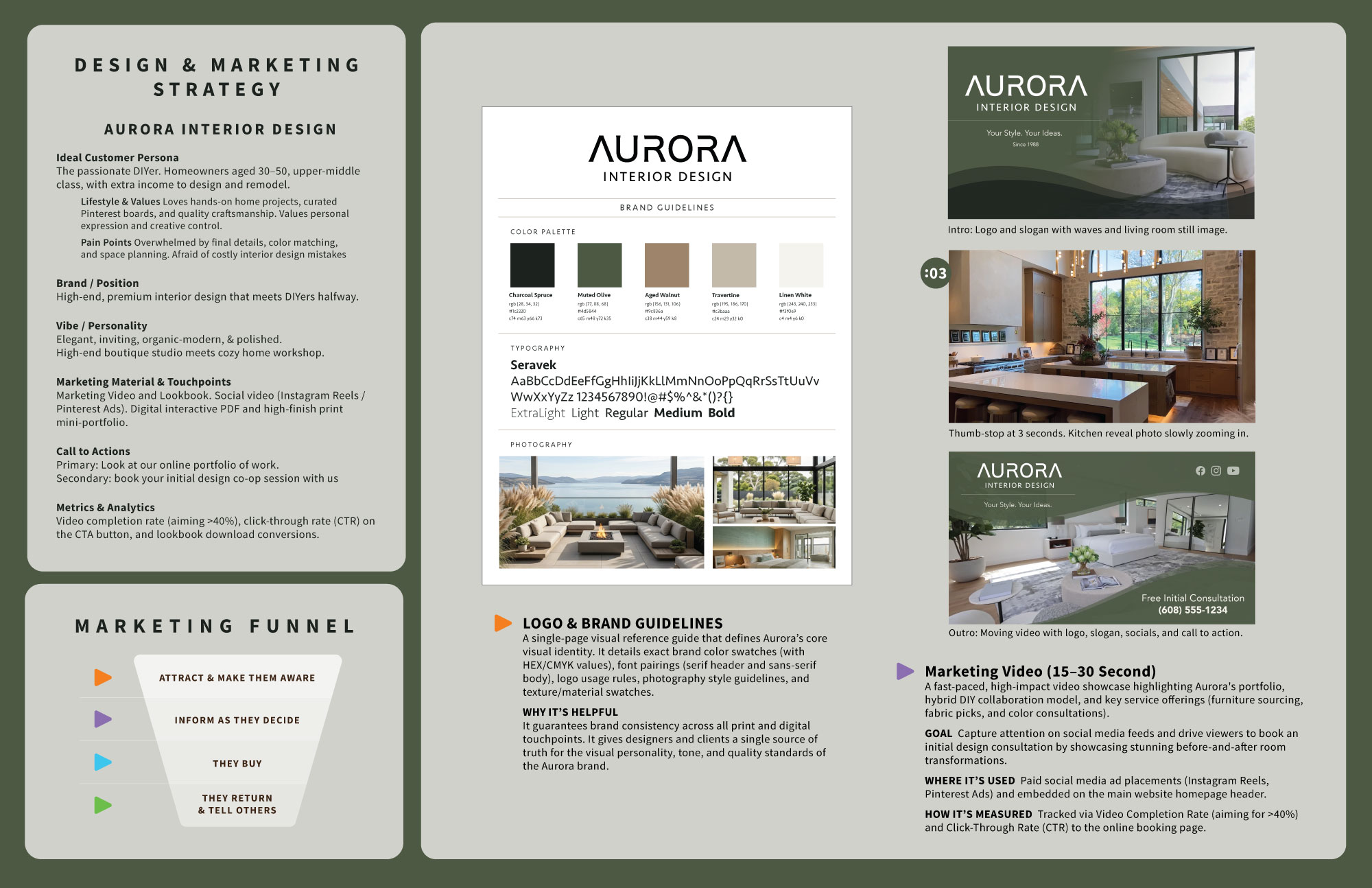
- Worked examples: Students see a complete sample campaign (such as the Aurora marketing campaign example) and past student work before capturing and editing their own media.
- Beginner-friendly tools: Students master accessible tools and mobile workflows first rather than getting bogged down by overly complex software right away.
2. I Do, We Do, You Do
(Cognitive Apprenticeship)
- Demonstrate how a pro does the work first (I do)
- Give students starter templates while they practice (we do)
- Slowly step back as their skills grow (you do).
What it means for teachers
- Students learn hands-on skills best when they watch an expert do the work first and hear why choices are made.
- Teachers give starter supports early on, then slowly step back as students gain skill.
How it is used in the Digital Content Creation Marketing Campaign Project
- “I do” (Modeling): The instructor demonstrates smartphone camera controls, lighting setups, and video editing techniques in class, providing clear video walkthroughs.
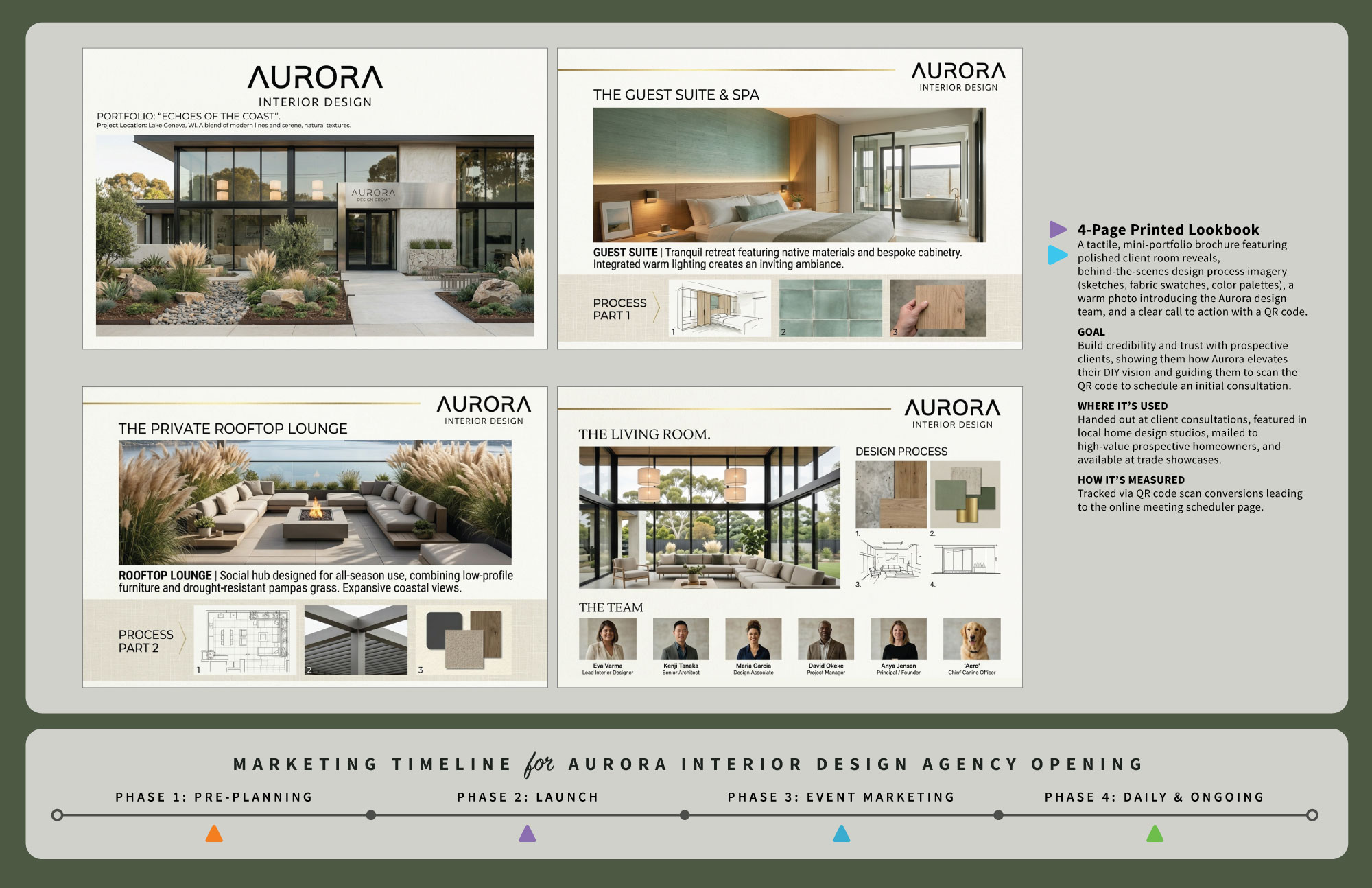
- “We do” (Scaffolding): Students practice shooting and editing using guided exercises, brand guideline templates, and a 2-page portfolio layout template for structural support.
- “You do” (Fading): Once students understand the fundamentals of capturing and editing digital content, they plan and execute their own unique Aurora marketing campaign assets independently.
3. Make It Real
(Andragogy & Applied Adult Learning)
Connect every lesson to real jobs and practical problems so career-focused students immediately see why the work matters.
What it means for teachers
- Career-focused students try harder when they know why an assignment matters for a real job.
- They learn best by solving real-world problems instead of doing abstract busywork.
How it is used in the Digital Content Creation Marketing Campaign Project
- Real job tasks: Students act like working digital content creators—shooting professional smartphone photos and videos, editing clips, writing a strategy, and tying their content to a marketing funnel and metrics.
- Job market proof: Course materials connect hands-on media creation directly to what employers and small businesses look for in digital marketing roles.
- Portfolio-ready output (Client-Ready): Every captured and edited piece goes into a 2-page portfolio spread that students can proudly show during job interviews.
4. Give Choice and Early Wins
(Self-Determination Theory)
Keep students motivated by giving them choices in their projects and setting up small, early successes that build their confidence.
What it means for teachers
- Students stay motivated when they have some control over their work.
- Early small successes build confidence and reduce fear of failure.
- Showing clear grading levels helps students see how to improve.
- Giving feedback that focuses on clear solutions and next steps keeps students motivated to improve instead of feeling stuck.
How it is used in the Digital Content Creation Marketing Campaign Project
- Student choice: Students choose their own client or brand focus (such as Aurora) and select the specific digital content pieces they want to create.
- Early wins: Starting with quick smartphone photo and video exercises helps beginners capture clean, professional shots quickly without intimidating tech hurdles.
- Clear targets: The grading guidelines show students the difference between beginner work and “client-ready” digital content so they know what to aim for.
- Actionable feedback: Solution-focused progress critiques and group critiques focus on practical adjustments and clear next steps, helping students stay motivated to improve their media.
5. Make Learning Stick
(Retrieval Practice & Self-Monitoring)
Help students remember what they learn by having them actively apply concepts and use checklists to inspect their own work.
What it means for teachers
- Students remember more when they have to recall and apply ideas repeatedly.
- Teaching students to check their own work turns them into independent problem-solvers.
How it is used in the Digital Content Creation Marketing Campaign Project
- Apply, don’t just read: Students don’t take rote tests on camera settings, video lighting, or marketing metrics—they apply them directly when shooting, editing, and assembling their Aurora campaign.
- Self-checklists: Assignment pages include clear checklists so students can review their own photo resolution, video cuts, and branding before submission.
- Critiques and presentations: Participating in solution-focused progress critiques and group presentations forces students to articulate why their visual choices and video edits work.
6. Make Learning Accessible to Everyone
(Universal Design for Learning – UDL)
Build flexibility into your teaching by providing different ways for students to access information, learn new skills, participate, and demonstrate what they know. Look at your existing lessons and add resources or teaching approaches where they could help remove learning barriers.
What it means for teachers
- Students don’t all learn, process information, or demonstrate understanding in the same way. One teaching approach won’t work equally well for everyone.
- If you primarily lecture, consider adding visual examples, short tutorial videos, demonstrations, or written instructions so students have other ways to understand the material.
- If you demonstrate something in class, consider recording it so students can revisit the process when they need help or miss a step.
- Give students reasonable choices in how they approach assignments, practice skills, or demonstrate their understanding while still meeting the same learning goals.
- Look at your existing lessons and identify where students commonly struggle. Sometimes a new handout, video, example, checklist, or alternative explanation is all that’s needed to make learning easier.
- You don’t have to create everything at once. Start with one lesson or one learning barrier and gradually build a collection of helpful resources.
How it is used in the Digital Content Creation Marketing Campaign Project
- Multiple ways to access instructions: Students can follow written, step-by-step website instructions, view visual examples, and watch video demonstrations to learn camera techniques and editing workflows.
- Flexible learning pace: Recorded demonstrations let students pause, rewind, and revisit techniques at their own pace rather than relying entirely on live classroom demonstrations.
- Multiple ways to learn: The course combines instructor demonstrations, hands-on practice, visual examples, guided exercises, and individual assistance to support students with different learning needs.
- Flexible student expression: Students select their own client or brand focus and can choose the types of photos, videos, and marketing content they create to demonstrate their skills.