Quick links to design principles on this page:
- Layout (Principles & Elements of Design)
- Elements of Design
- Fundamentals of Design
- Chunking, Rule of Thirds, and The Grid
Layout
A great video introducing layout (5:14)
The Gestalt
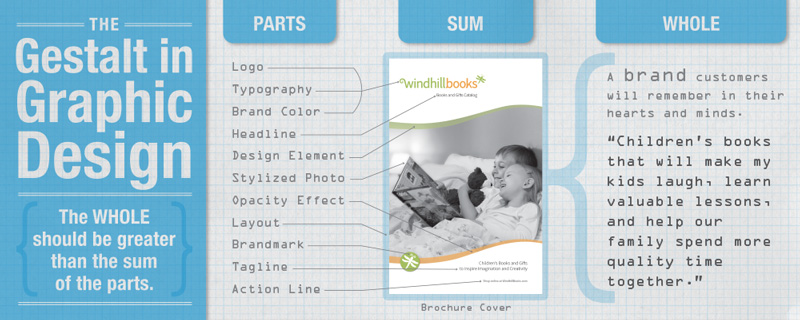
Gestalt is a psychological concept meaning “shape” or “form,” and it refers to the idea that the “whole” is perceived as more than the sum of its parts. In graphic design, this means that a logo, brochure, website, or catalog is perceived as being more than just a collection of type, art, paper, layout, etc.; it is a branded visual message that carries with it (if done well) an emotional message that connects on a personal level with the intended audience. We don’t just want our viewers to read the text and look at photos; we want them to feel our message in their hearts, we want to educate their minds about our product or service, and we want them to remember it as something they want or need.
So, this holds true under examination. The logo or catalog is more than its parts—all the parts come together to create a powerful, memorable brand identity that evokes emotion in the viewer.
This of the way you feel when you get your favorite catalog in the mail. I remember this feeling as a child when the Sears Wish Book (the Christmas catalog) would arrive each year. It was more than just a collection of toys for sale—it was the warm, childhood-driven, materialistic side of Christmas wrapped up in one big picture book. Oh, the possibilities it promised : )
Fundamentals of Design
Elements of Design
Chunking
“Chunking” is what I prefer to call the design concept of grouping similar elements so they are perceived together and appear to belong together.
The academic term is “Unity through proximity.” My students — and most people — tend to get confused by this academic terminology, so I use chunking, and they seem to understand it better.
We know humans like to make order out of chaos. As a designer and visual communicator, you can help deliver information quickly and efficiently to your viewers by chunking your information into small bits. This allows the viewer to read little pieces of information at a time. Too much information can be an overload—a bad thing.
Viewers usually like to read small bits of information that go together. Chunking allows designers to control which bits of information your viewer sees first, second, third, and so on.
When chunking information, try to create “logos” with your information. These “logos” can use similar:
- Typefaces
- Design styles
- Colors
- Borders & frames
- Illustrative styles
- Backgrounds
- Drop shadows
- Gradients
- Textures
These help to unify the elements of each chunk and make them go together.
Examples of Chunking
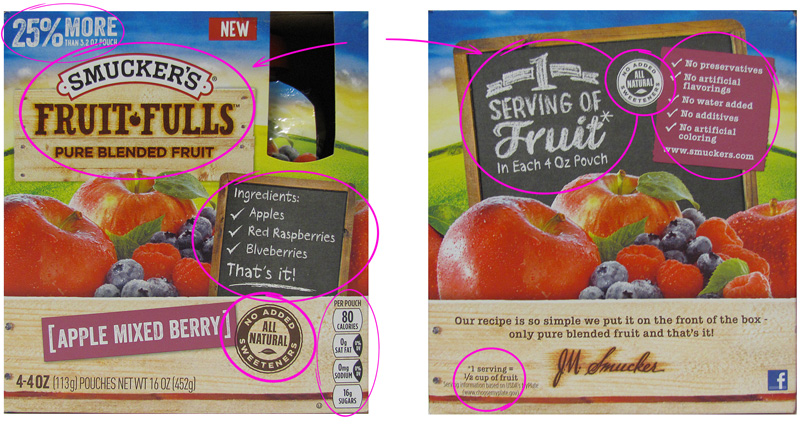
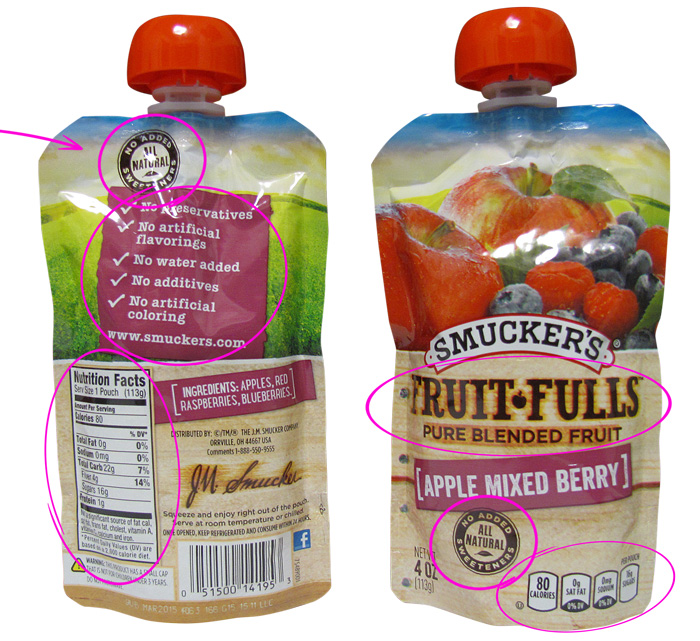
Here are several examples that demonstrate good information chunking
Rule of Thirds
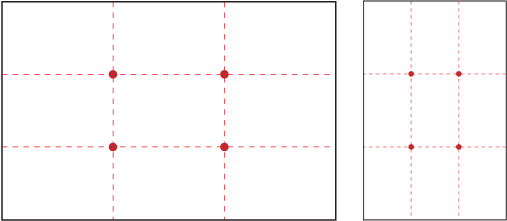
This is how visual designers, photographers, videographers, artists, and creatives begin to organize content on the screen, page, or canvas.
(Four magic points, three columns, and three rows, to focus your viewer’s attention)
Plan your photos to fit your design layout
It’s important to plan ahead and crop your photos and video based on where your type and design elements might go.
While a photo or video might look odd with a bunch of negative space on the top, it will look fine and be balanced when you place your headline there.


Split your page into thirds, vertically and horizontally. This is an asymmetrical design at its best. Your layout will be more interesting and more professional-looking. This is also the beginning of designing a page layout with a grid.
(Left) Centered sunset and horizon is less interesting and less “developed.” (Center) Design is better. (Right) Design is more creative and more “developed.”
The Grid in Design
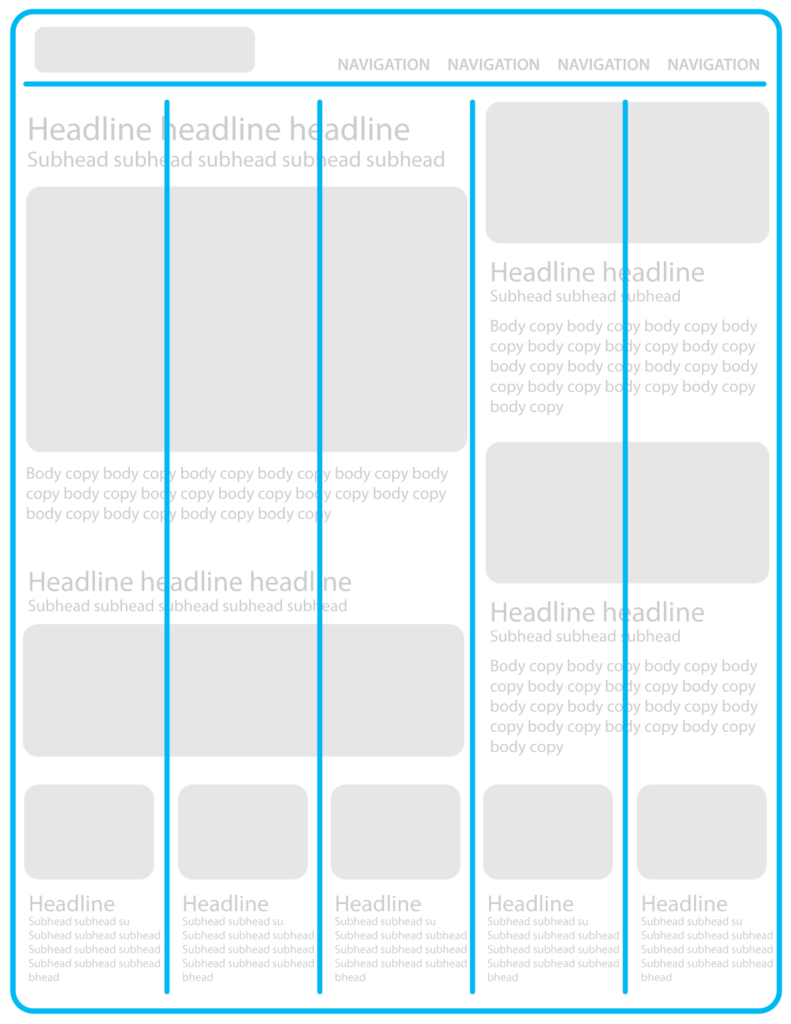
The grid is an underlying template that helps you arrange elements on your page. These elements are usually typography with art/photos.
Continuity is a term for a magazine or website that uses the same grid to layout all its pages, so they are consistent and look like they belong together. When a website uses the same grid across all its pages, it helps viewers know where to look for information. It reduces the work viewers have to do when clicking from page-to-page because they learn to predict where certain information will be found.
Less developed designs rely on centered elements and overly simple layouts. These can look less creative and unprofessional.
Use an underlying grid to influence your layout choices