Marketing Campaign – Instructions

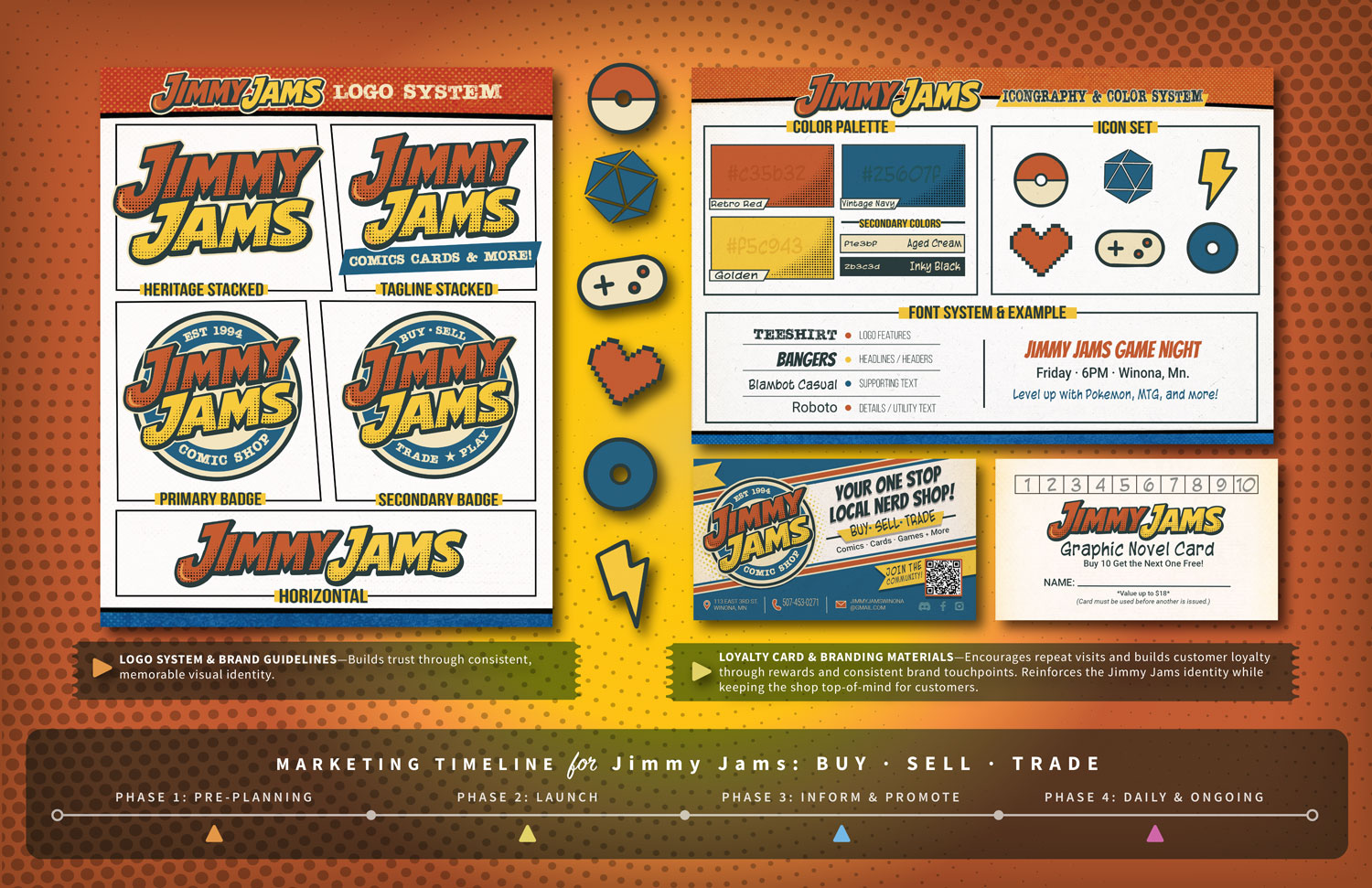
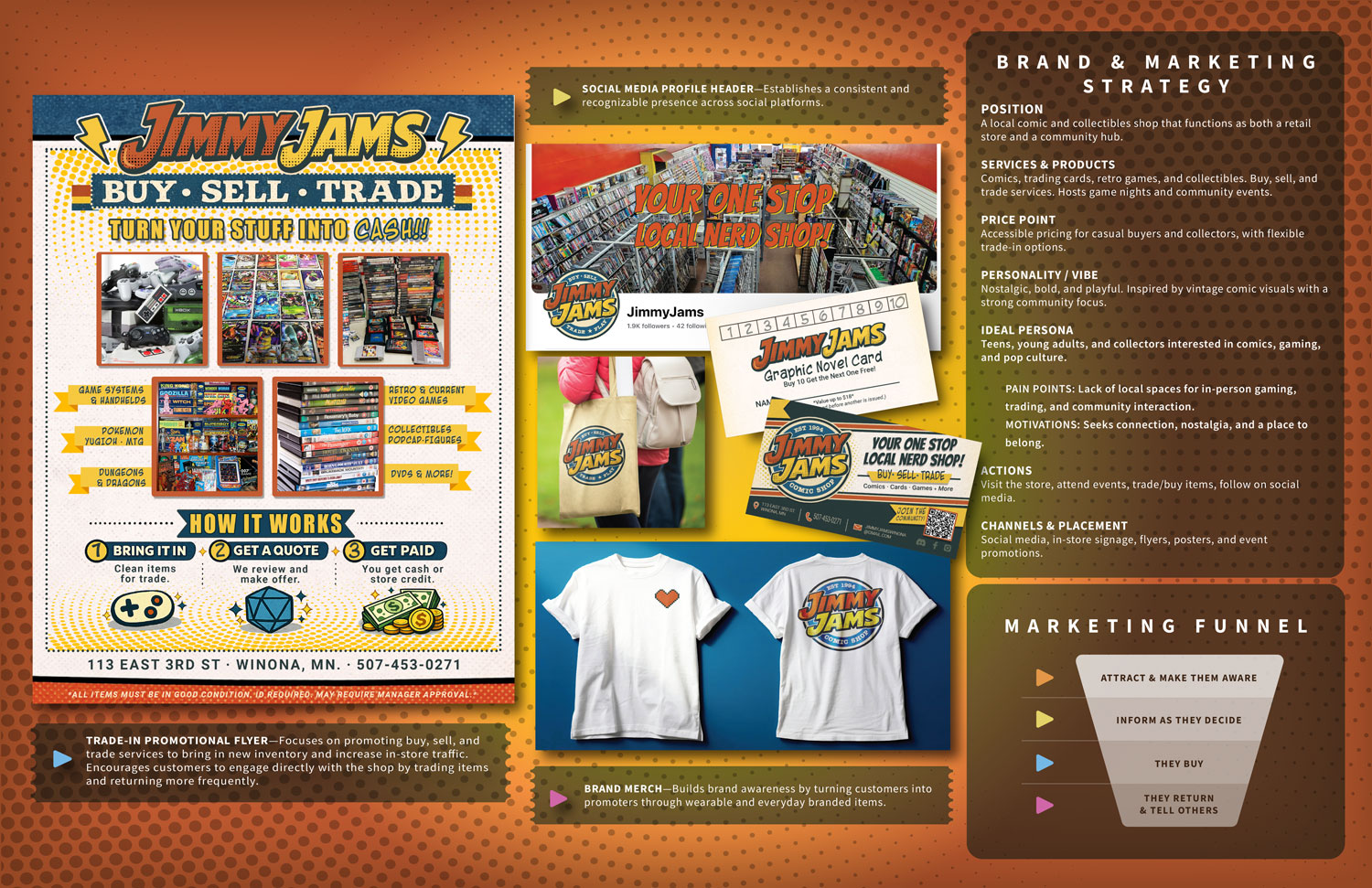
For this project, you’ll create one marketing campaign for a business or organization of your choice. Check out the yoga studio, bakery, and PIXELPOP examples for inspiration. Those examples have many marketing pieces to reference, but you’ll only create a logo and 2–3 other marketing pieces for yours.

You will practice being self-directed in this class. I want you to take the reins and do your work at a professional level and with pride and devotion.

Grading Checklist

  1. Write the Brand & Marketing Strategy (25 points)
  2. Write the Marketing Plan & Timeline (25 points)
  3. You’ll Design
    • Logo and brand style guide (100 points)
    • A coordinated set of 2–4 additional pieces of marketing material (you will pick these along with your instructor from your Marketing Plan & Timeline). (200 points)
    • Create or find 2–3 design concepts for inspiration. These could be sketches, image searches, mood boards, or AI-generated design concepts (which I recommend).
    • Final designs should be in industry-leading software: Illustrator, InDesign, Photoshop, or After Effects. Illustrations can be in Photoshop, Illustrator, Fresco, Procreate, etc.
  4. You’ll participate in design presentations and critiques
  5. You’ll design a 2-page spread of your marketing campaign for your portfolio (Download template here)

Notes:

  1. Create a checklist of each step for students to check off
  2. Students use design critique forms stapled to their printed design work
  3. Students complete the final self-grading rubric for the entire Marketing Campaign
  4. Students print each step and keep a copy in their classroom folder
  5. Students are given logos to choose from in DF, and they will design a logo in GDM and CGD
  6. Students create two Brand & Marketing Strategies in DF (to work on if they choose in their other first-year classes.
    • One Product (Tangible) Shoe company, clothing company, Apple Orchard, Bakery, etc.
    • –OR– One Service (Intangible) Interior Design Agency, Apple Orchard, Gamer Tournament, Yoga Studio, etc.
      • Email (MailChimp)
      • Social Graphic (Canva or Illustrator)
      • 2-Sided Flyer (Illustrator)
      • 2-Page Portfolio Spread (Illustrator)
  7. Students create one Brand & Marketing Strategy in GDM
    • One Product (Tangible) Canned Beverage/Drink
      • Logo and Brand Style Guide (Illustrator)
      • Can label design and 3D Mock-up (Illustrator)
      • 15-Second Marketing Video (Premiere Pro and After Effects)
        • New learning includes Apple Orchard tutorial (Photo/Video) and Karate Kick/Habitat (Vector)
      • 2-Page Portfolio Spread (Illustrator)
  8. Students create one Brand & Marketing Strategy in CGD
    • Student’s choice of product or service
      • Logo and Brand Style Sheet (Illustrator)
      • 1-Page Sell Sheet (Illustrator or InDesign)
      • 8-Page Look Book (InDesign)
      • Three Web Ads (Illustrator or Photoshop)
      • 2-Page Portfolio Spread (Illustrator)