Let’s talk about the differences between fonts used to build websites and fonts used on your desktop computer to design various advertising and marketing material.
A web font is a font file optimized for and licensed for use on websites, while a “font” can refer to a desktop font for use in applications or the general concept of a typeface. Web fonts are stored online and downloaded by a browser to display text consistently, whereas desktop fonts are installed locally on a computer and are used for applications like word processors and design software.
Web font
- Purpose: To be displayed on websites, ensuring a consistent look across different devices and operating systems.
- Storage: Stored on a remote server and downloaded to a user’s browser on demand.
- File format: Typically in formats like WOFF and WOFF2, which are optimized for the web.
- Licensing: Licensed specifically for web use.
- Features: Optimized for screen readability and can have some extraneous glyphs removed to reduce file size.
Desktop font
- Purpose: To be installed and used on a local computer for applications like Microsoft Word, Adobe Photoshop, etc..
- Storage: Installed directly on your computer’s hard drive.
- File format: Commonly in formats like .otf (OpenType) or .ttf (TrueType).
- Licensing: Licensed for desktop and print use.
- Features: May have more features and glyphs for print design flexibility.
(From Google’s Gemini AI, Nov 2025)
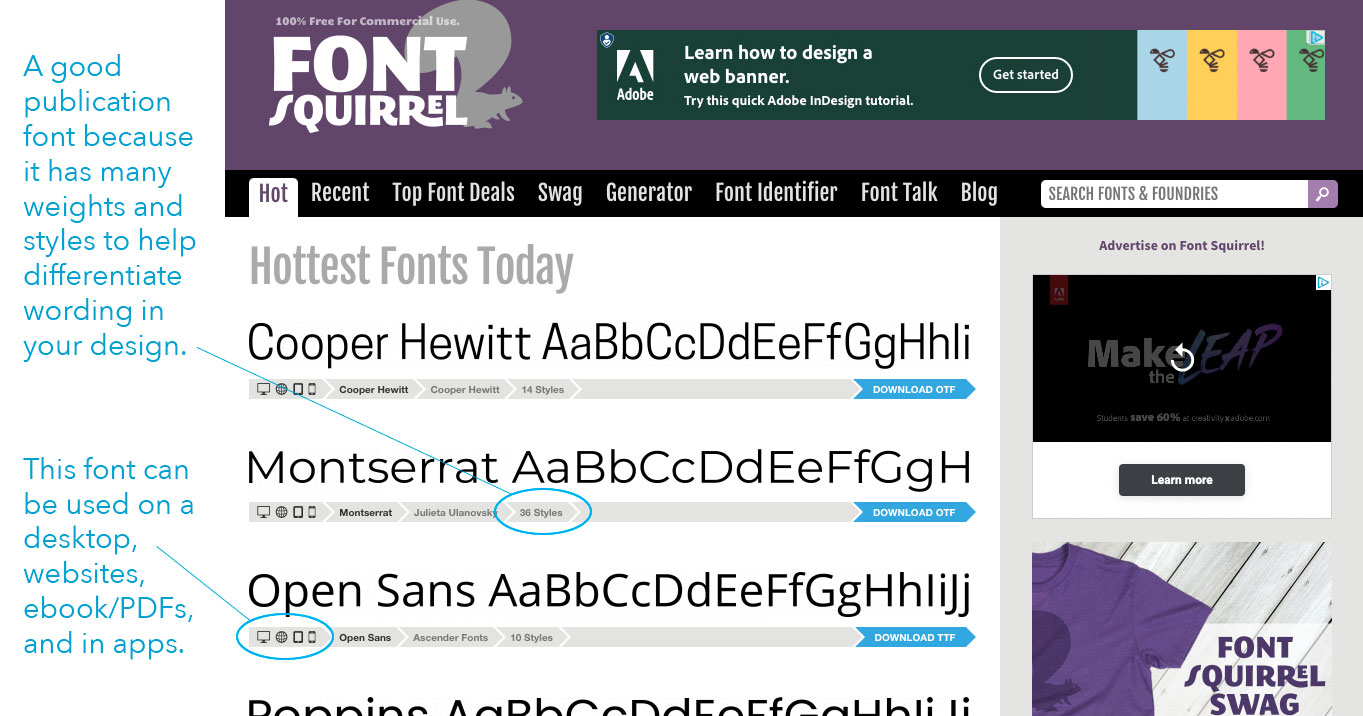
Fontsquirrel.com – Webfonts and Desktop Fonts
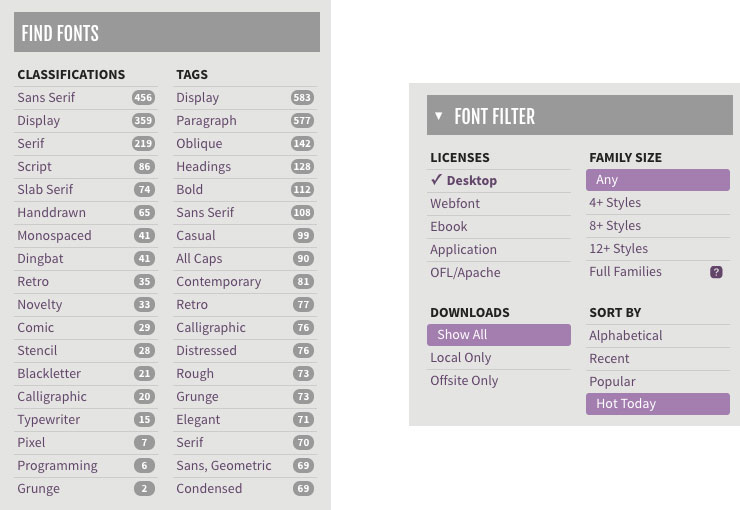
You can search by classification or filter by family size (number of styles), or license.
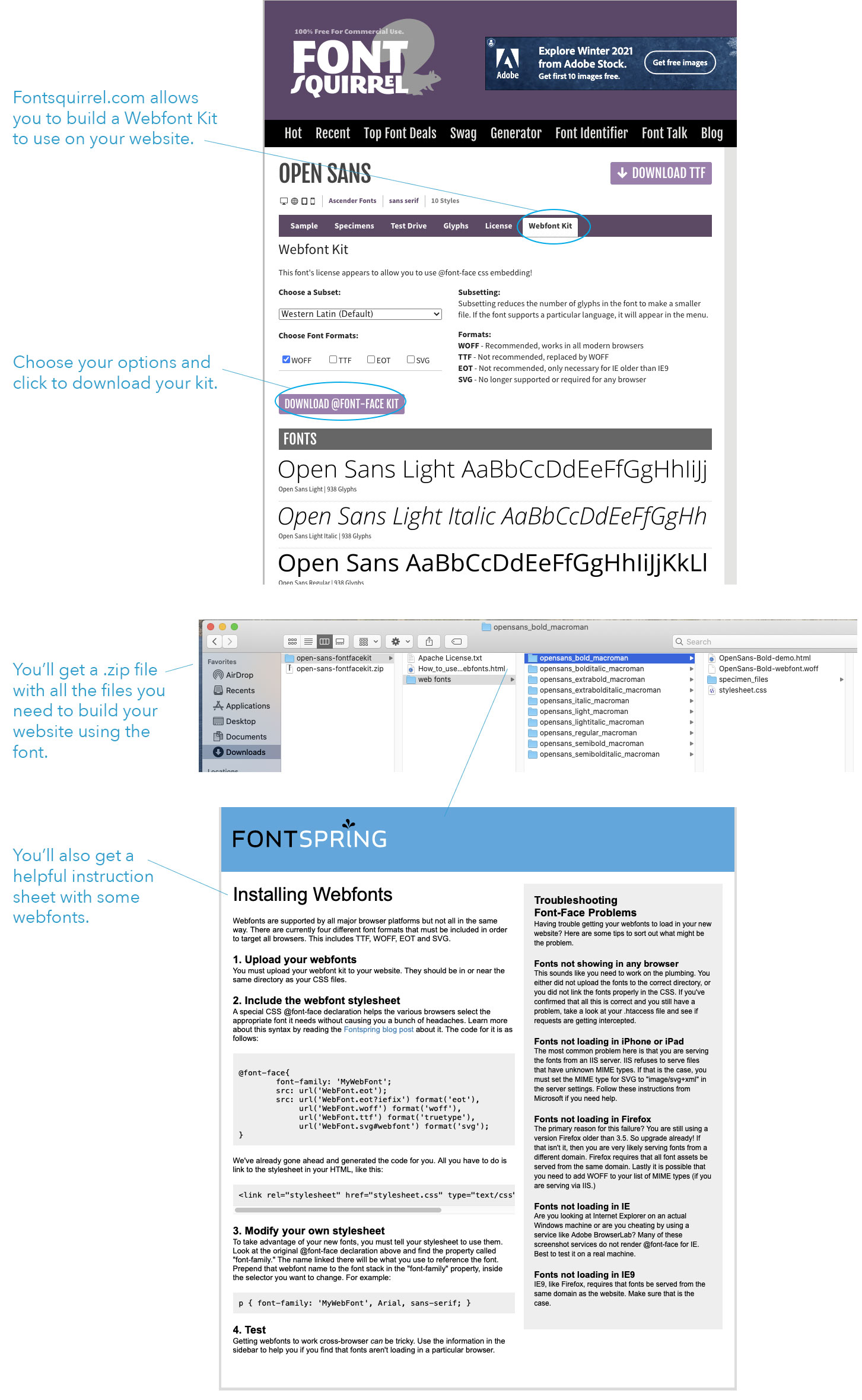
Fontsquirrel.com – Webfonts